DJ Controllers

Pioneer DDJ-FLX4 vs DDJ-FLX6: Which Mid-Range Controller?

Pioneer DDJ-FLX4 vs DDJ-FLX6 — full comparison of specs, performance pads, software, and value for money in 2026.
✍️ By Offbeat Editorial Team📅 Updated June 2026⏱️ 5 min read
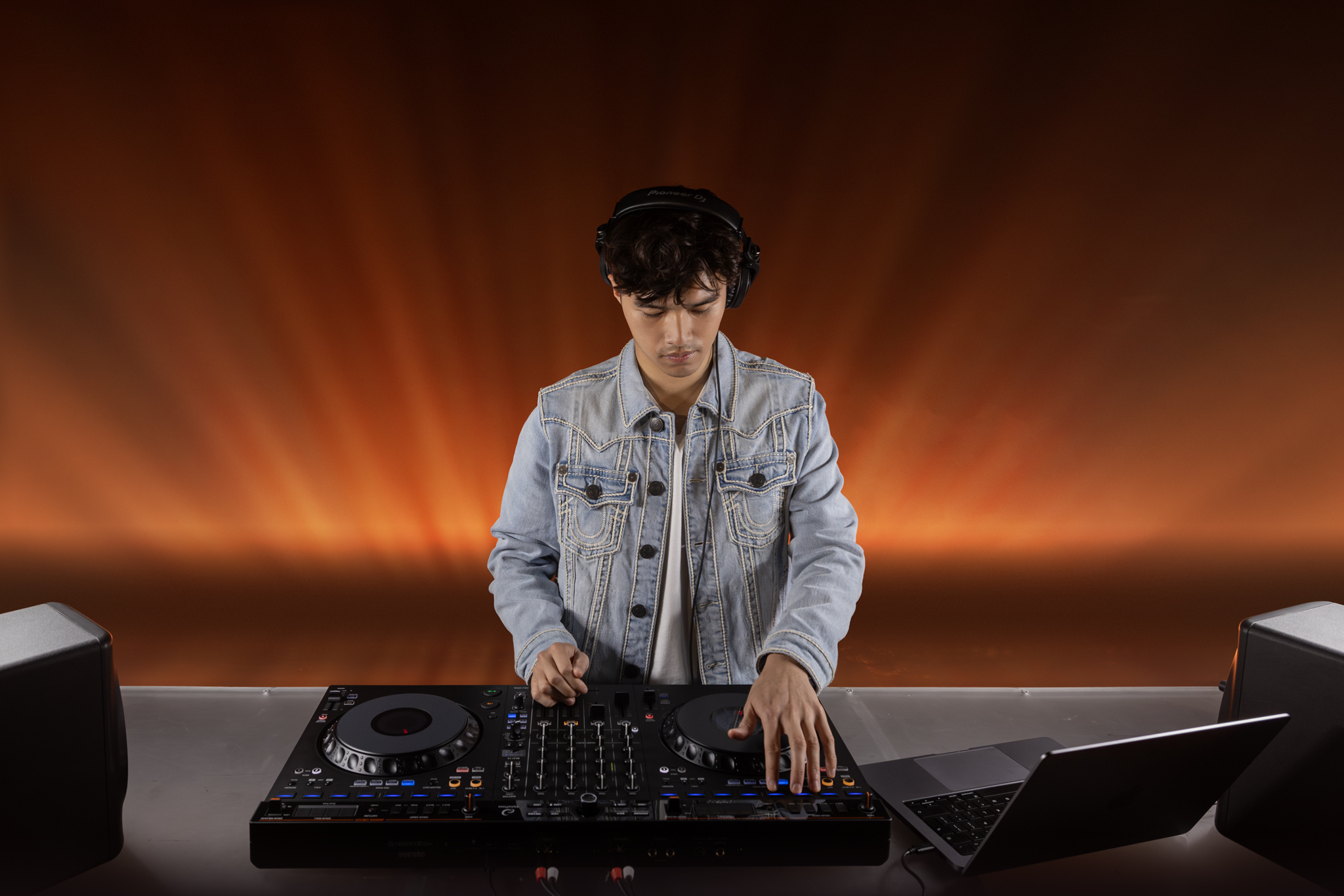
DJ controller comparison graphic for Pioneer DDJ-FLX4 and DDJ-FLX6-GT
Illustration by Offbeat Inc.

Introduction

Pioneer's FLX series is the current mid-range lineup. The FLX4 sits at roughly $299–$349; the FLX6-GT at roughly $499–$549. Both run Serato DJ Pro and rekordbox.

Quick Verdict

Buy the DDJ-FLX4 if you are learning from scratch, play mostly solo 2-deck sets, need portability, and want to save $150–$200. Buy the DDJ-FLX6-GT if you DJ events, need mic and booth options, plan B2B sets, or want four-channel flexibility.

Compared Options

Pioneer DDJ-FLX4

The FLX4 is the smaller, cheaper, more portable controller for beginners, bedroom DJs, and simple two-deck setups.

  • 2-channel layout
  • Best for learning and home sessions
  • Lower price and easier portability

Pioneer DDJ-FLX6-GT

The FLX6-GT adds four channels, larger jog wheels, mic input, booth output, and aux input for DJs moving toward events and flexible routing.

  • 4-channel layout
  • Best for events and B2B
  • More inputs and monitoring options

Buy Based on Routing Needs, Not Just Size

The FLX4 covers most beginner use cases. The FLX6-GT makes sense when you need a microphone, booth output, aux input, four-channel mixing, or more room to grow.

Specs Comparison: FLX4 vs FLX6-GT

FeatureDDJ-FLX4DDJ-FLX6-GT
Price (MSRP)~$299–$349~$499–$549
Channels2-channel4-channel
Jog wheel diameter5 inches6 inches
Dedicated mic inputNoYes
Booth outputNoYes
Aux inputNoYes
Ideal forBedroom / beginner / mobileEvents / B2B / growing DJs

Which Controller Should You Buy?

Buy the DDJ-FLX4 if you:

  • Are learning to DJ from scratch and do not need a microphone
  • Play bedroom or home studio sessions only
  • Need portability
  • Want to save $150–$200
  • Play solo 2-deck sets exclusively

Buy the DDJ-FLX6-GT if you:

  • DJ weddings, corporate events, or parties where you need a mic
  • Plan to play B2B sets with another DJ
  • Want a booth output for venue monitoring
  • Mix four sources such as two laptops, CDJs plus laptop, or layered software decks

Bottom Line

The DDJ-FLX4 is the better value for beginners. The DDJ-FLX6-GT is the better buy for event work, B2B, and DJs who need more I/O and four-channel control.

How to make the comparison useful

This comparison is most useful when it is tied to a real buying or workflow decision. Do not choose only by the longest feature list. Choose by the software you will use, the gear you already own, the venues or platforms you expect to play on, and the amount of setup work you are willing to maintain.

Choose the first option whenIt better matches your current workflow, library habits, controller compatibility, and budget.
Choose the second option whenIt solves a specific limitation in your current setup instead of merely adding more features.
Before switchingCheck export compatibility, subscription costs, file formats, performance limits, and whether your existing projects or playlists transfer cleanly.

Practical checklist before you decide

Use this page as one part of the decision, not the whole decision. Confirm the current price, software compatibility, operating-system support, and whether the option still fits the way you actually practice or perform.

  • Fit: choose the option that matches your current workflow and the setup you expect to use for the next year.
  • Compatibility: verify exact hardware, app, subscription, and file-format requirements before buying or switching.
  • Reliability: avoid workflows that depend on one fragile adapter, one unstable app version, or an internet connection with no backup.
  • Upgrade path: favor tools that can grow with you instead of forcing another purchase as soon as you start recording mixes or playing longer sets.

How to use this guide in a real DJ setup

Before changing gear, software, or workflow, connect the recommendation to an actual use case: home practice, recorded mixes, streaming, mobile events, club preparation, or production crossover. A choice that looks best on paper can still be wrong if it adds setup friction or does not match the way you will play.

For practiceChoose the option that helps you build repeatable habits: organized libraries, clear cueing, reliable monitoring, and enough controls to practice without menu diving.
For recordingCheck recording support, local-file requirements, audio routing, export settings, and whether streamed tracks are restricted.
For gigsPrioritize reliability, backup options, wired connections, compatible outputs, and a setup that can survive a long set without updates, adapters, or internet access becoming the weak point.

The safest workflow is to test the setup exactly as you will use it, then document the cable path, software version, library source, and backup plan. That prevents most of the avoidable failures that happen when DJs buy the right-looking tool but never validate the whole system.

Official product and support pages

Use these official pages to confirm current specifications, software compatibility, and support details before buying.

Frequently Asked Questions

Is the DDJ-FLX6-GT worth it over the DDJ-FLX4?

It is worth it if you need four channels, a mic input, booth output, aux input, larger jog wheels, or room to grow into event and B2B setups.

Is the DDJ-FLX4 enough for beginners?

Yes. The DDJ-FLX4 is enough for most beginners, bedroom DJs, and mobile practice setups that do not require extra inputs or four-channel mixing.

Do both controllers work with rekordbox and Serato?

Yes. The source comparison states that both run Serato DJ Pro and rekordbox.

What should I check before buying this DJ controller?

Confirm software compatibility, audio outputs, headphone cueing, driver support, and whether the controller fits your real practice or gig setup.

Is this controller category good for beginners?

It can be, but beginners should prioritize reliable software support, simple routing, and controls that teach transferable DJ habits before paying for advanced performance features.

🎧

Editorial review

Offbeat Inc. DJ gear and software research

Offbeat Inc. reviews DJ controllers, software, headphones, mixers, and setup workflows from the perspective of working DJs, beginners building their first rig, and creators choosing reliable tools for practice, recording, and gigs.

Which controller fits your next step?

Before you click out or compare live prices, use this quick fit check to avoid the wrong buy.

Related next reads: