FL Studio
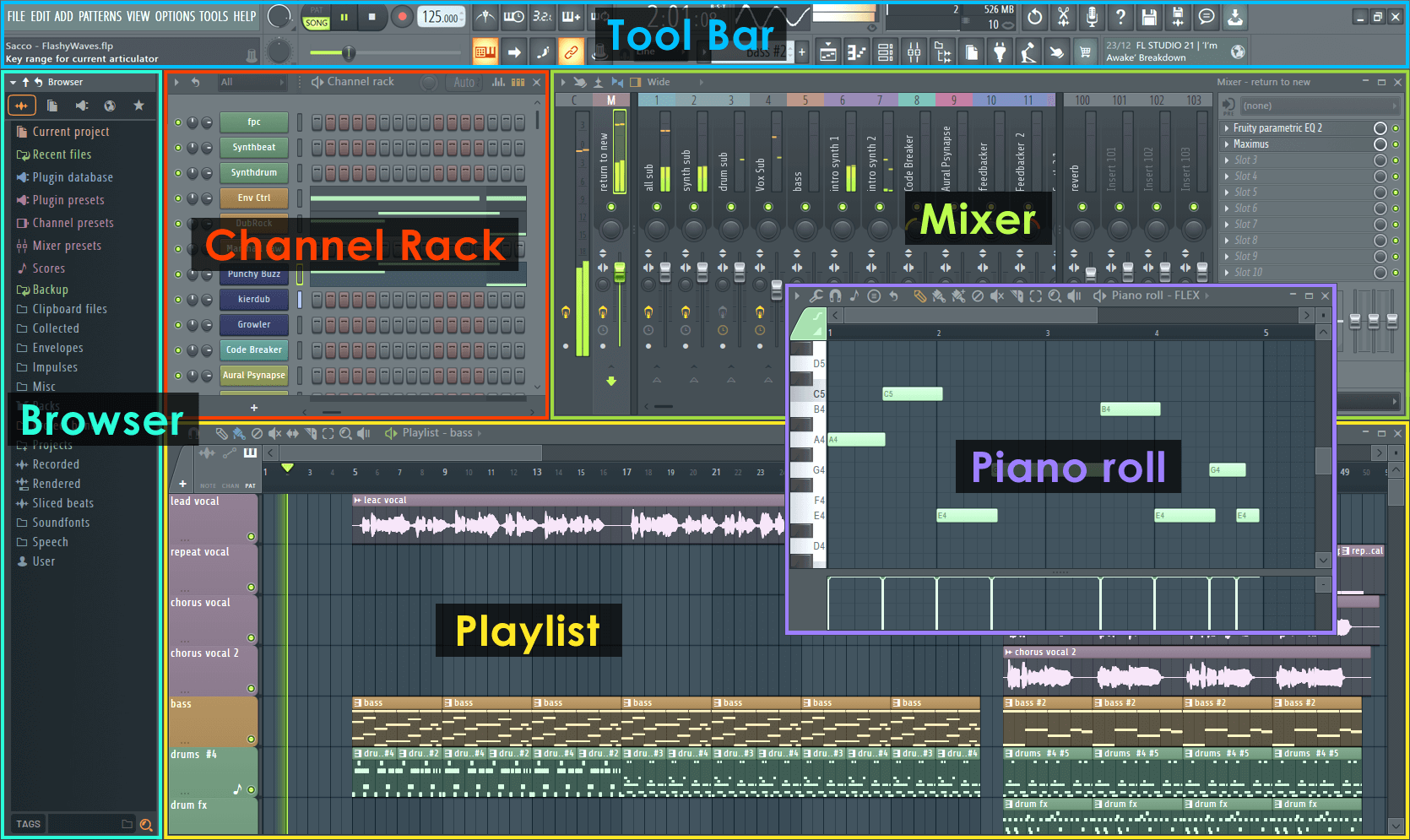
FL Studio's piano roll is the best in any DAW. The $299 Producer Edition includes Harmor, Sytrus, Gross Beat, and ZGameEditor Visualizer.
- Best for beat makers and hip-hop producers
- Pattern-first workflow
- Lifetime free updates
FL Studio vs Ableton Live side-by-side: pricing, workflow, plugins, and which DAW is actually built for your style.
Both DAWs can produce any genre. The real question is workflow philosophy: FL Studio's pattern-based step sequencer vs Ableton's session view and clip launching.
Choose FL Studio if you produce hip-hop, trap, EDM, or any genre where you build from a drum pattern up. Choose Ableton Live if you produce techno, ambient, experimental music, or plan to perform live.
FL Studio's piano roll is the best in any DAW. The $299 Producer Edition includes Harmor, Sytrus, Gross Beat, and ZGameEditor Visualizer.
Ableton's Session View lets you trigger clips in any order, making it ideal for live electronic performance. Max for Live in Suite gives access to thousands of community devices.
FL Studio is faster when you think in patterns and drum loops. Ableton Live is stronger when you build with clips, scenes, improvisation, and performance routing.
| Feature | FL Studio Producer ($299) | Ableton Live Standard ($449) |
|---|---|---|
| Lifetime free updates | Yes | No (paid upgrades) |
| Step sequencer | Native, excellent | Basic clip launcher |
| Live performance | Limited | Session View built for it |
| Included plugins | 35+ synths/FX | 15+ instruments, 35+ FX |
| Free trial | Unlimited (no save) | 90 days full |
FL Studio is generally easier for beginners who want to make beats because the step sequencer and pattern workflow are direct. Ableton is better for beginners who already know they want live performance, clip launching, or experimental electronic workflows.
FL Studio is the better first DAW for loop-first beat production; Ableton Live is better for clip-based electronic production and live performance.
Use this page as one part of the decision, not the whole decision. Confirm the current price, software compatibility, operating-system support, and whether the option still fits the way you actually practice or perform.
Before changing gear, software, or workflow, connect the recommendation to an actual use case: home practice, recorded mixes, streaming, mobile events, club preparation, or production crossover. A choice that looks best on paper can still be wrong if it adds setup friction or does not match the way you will play.
The safest workflow is to test the setup exactly as you will use it, then document the cable path, software version, library source, and backup plan. That prevents most of the avoidable failures that happen when DJs buy the right-looking tool but never validate the whole system.
Use these official pages to confirm current specifications, software compatibility, and support details before buying.
FL Studio is generally easier for beginners who want to make beats. Its step sequencer and pattern workflow are more intuitive for building drum patterns and loops.
Yes. Ableton Live's Session View is built around clip launching, scenes, and flexible live performance workflows.
FL Studio has stronger long-term upgrade value because it includes lifetime free updates, while Ableton typically uses paid major upgrades.
Choose Ableton Live if you think in loops, clips, remixes, live sets, and performance-friendly arrangements. Choose FL Studio if you are building beats, melodies, and pattern-based ideas quickly. Both can produce professional tracks; the better choice is the one that helps you finish more music with less friction.